


Get started with Mili + Cisco WebEx
How it works

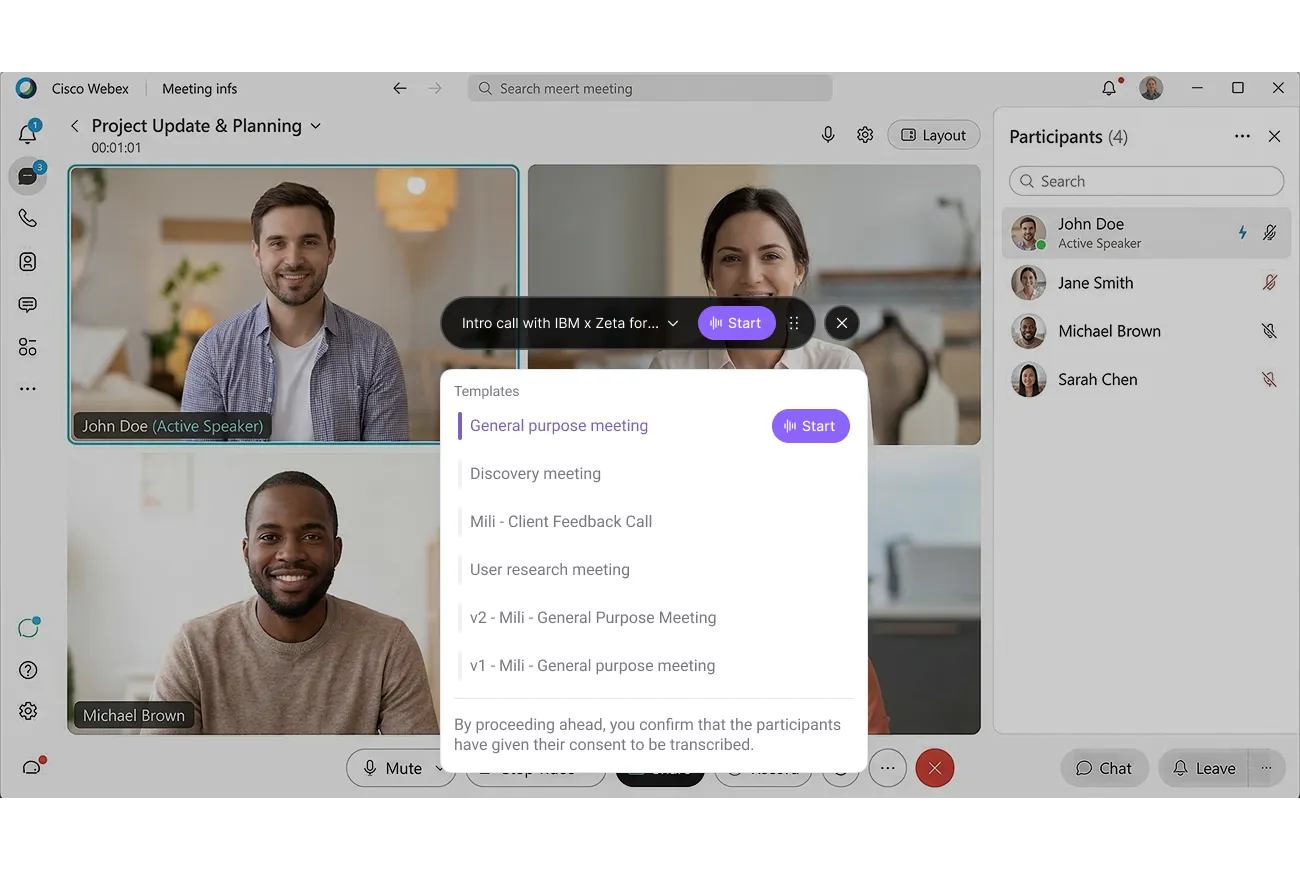

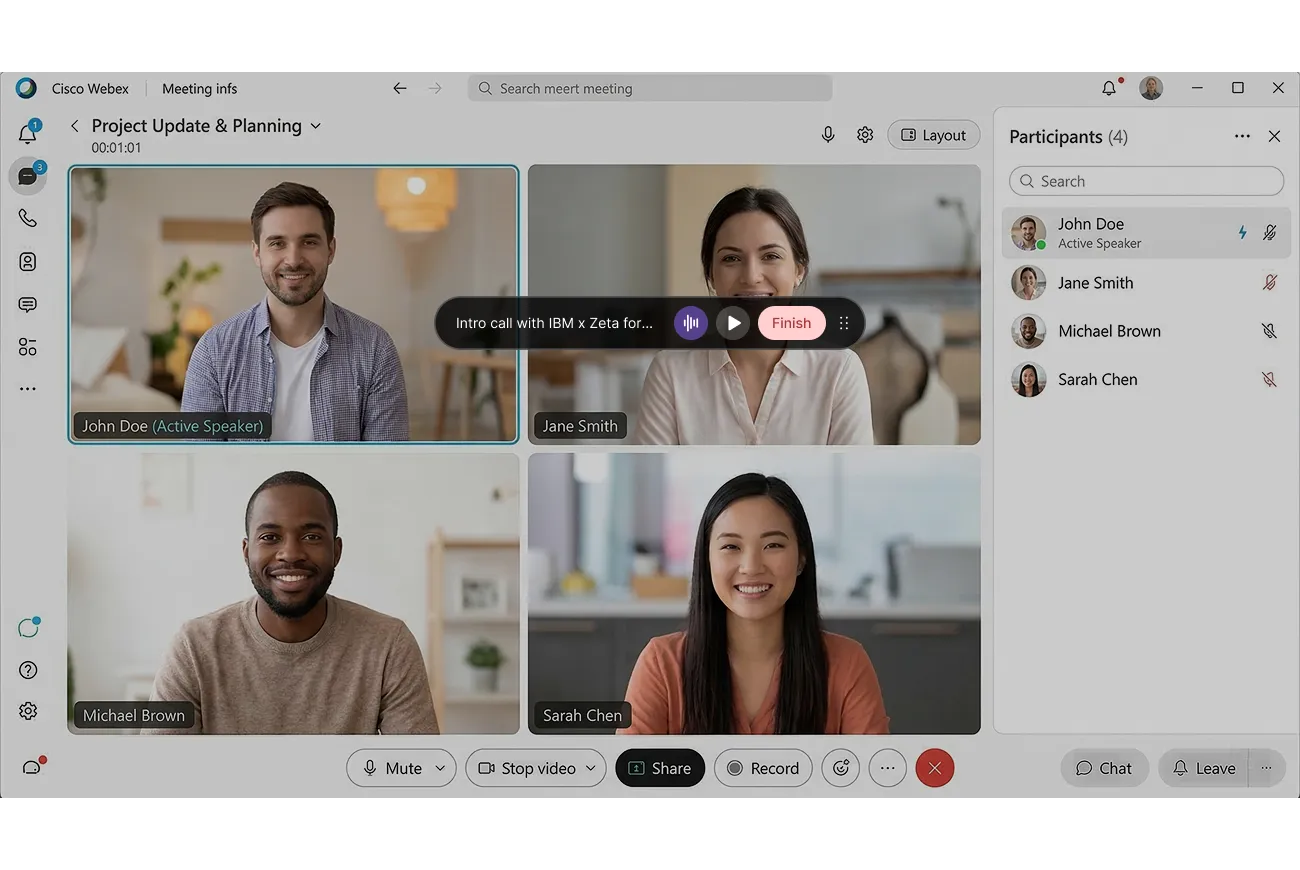
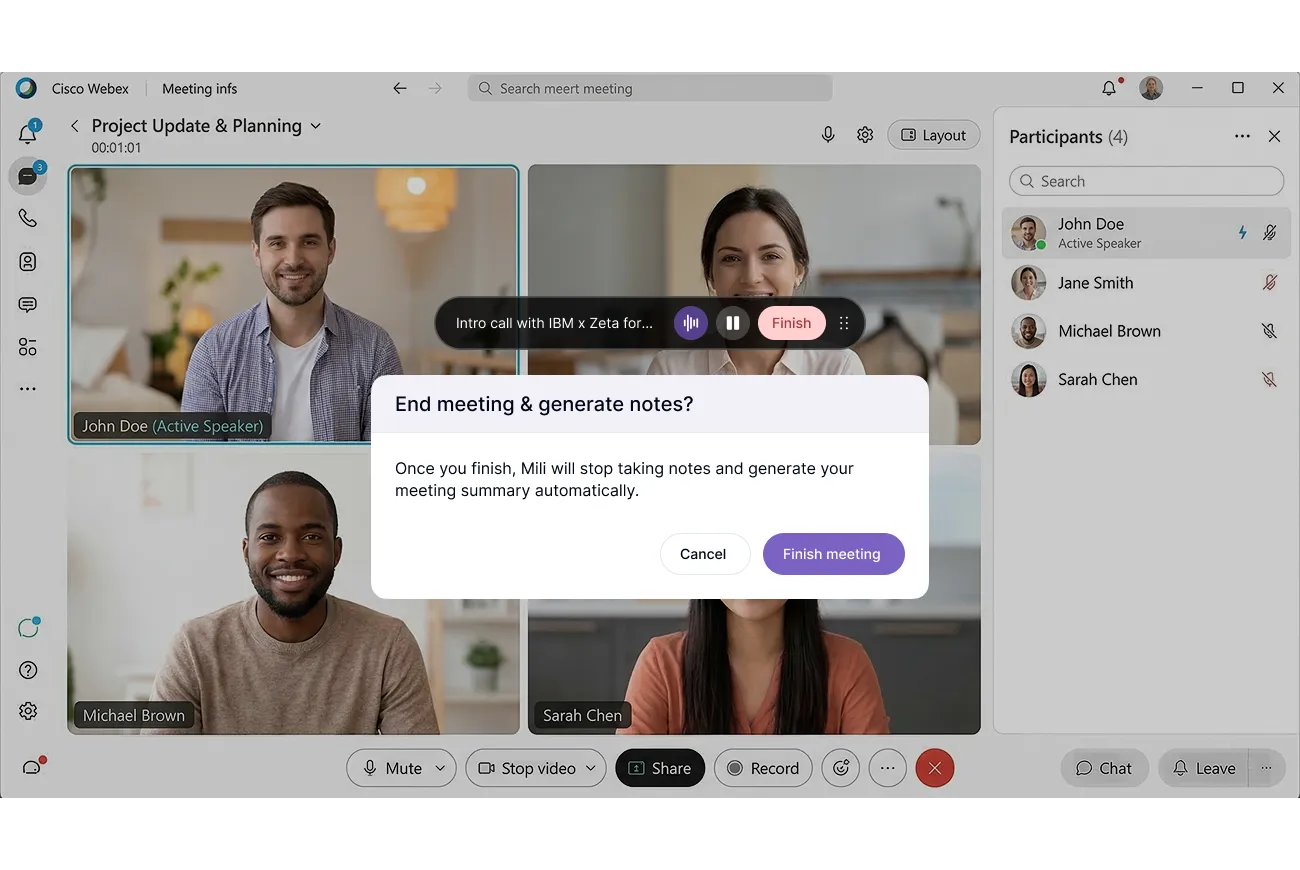


Webinar
Frequently Asked Questions
No. Mili never joins your meeting. There's no bot in the participant list, no extra name in the lobby, and your client only ever sees you. Mili runs on your device and listens through your computer's microphone and speaker, the same ones already carrying your conversation. It's like having a brilliant assistant sitting behind you, taking notes from what they hear.
No. Webex shows recording indicators when something triggers a recording through its system. Mili doesn't record through Webex, or at all. It listens through your device and converts audio to structured notes in real time. The audio is processed instantly and discarded immediately. No recording is ever created, stored, or saved.
Not at all. Once you hit Start, go right back to your Webex call and focus on your client. Mili works entirely in the background. You'll see a small persistent overlay with a soundwave indicator on your screen, that's your confirmation that note-taking is active. You don't need to switch tabs or check on Mili during the meeting.
Yes. Pause and resume anytime. Either click the pause button on the persistent overlay or open the Mili app to pause from there. This is useful when you need a private moment or step off-topic. Hit resume and Mili picks up right where you left off.
Nothing changes on Mili's end. Because Mili listens through your device, not through Webex's system, it works the same way whether you're on Webex, Zoom, Google Meet, Microsoft Teams, or even a regular phone call.
Yes. Mili is SOC 2 Type 2 and ISO 27001 certified, built on AWS Enterprise Cloud, and encrypts everything end-to-end. No audio recordings are ever created or stored. All sensitive data like SSNs and account numbers is automatically redacted before notes are even saved. If your firm chose Webex for security, you'll feel right at home with Mili.
Every meeting generates a draft in Mili Office. You can review every note, edit anything, and add your own context before syncing to your CRM or sending follow-ups. Nothing goes anywhere until you approve it.
Before you hit Start, Mili asks you to confirm that you have the client's consent. Every single time, no skipping it. That confirmation is logged with a timestamp, by client and by date. So if your compliance team ever asks, it's right there.
